Experience Advanced Control with the Jecod DEP 8500 Vario DC Water Pump Bluetooth Controlled 8500 litres per hour
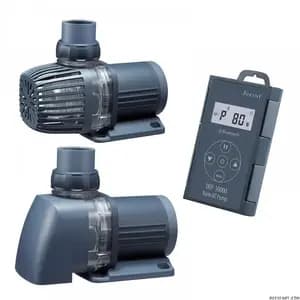
The Jecod DEP 8500 Vario DC Water Pump is a pinnacle of modern aquarium technology, designed to provide superior water circulation and filtration for both freshwater and saltwater environments. Its robust construction integrates an innovative suction funnel positioned at the bottom, a feature that efficiently draws water from the lowest point of your filter pit. This intelligent design not only allows for lower water levels but also significantly reduces the risk of air being sucked in from the surface, ensuring consistent and stable operation.
Harness the power of smart control with this pump's integrated Bluetooth connectivity. Manage flow rates and settings effortlessly through a dedicated mobile app or the intuitive LCD display controller included. Beyond its smart capabilities, the Jecod DEP 8500 boasts whisper-quiet performance, thanks to its advanced sine wave technology, creating a serene environment for your aquatic inhabitants. Its durable ceramic shaft promises long-term reliability and minimal wear, while built-in electronic detection systems provide peace of mind by identifying and addressing blocked impellers and offering dry running protection.
Specifications for Jecod DEP 8500 Vario DC Water Pump
- Power: 24V
- Flow Rate: Up to 8500 litres per hour
- Max Head (QED): Up to 5.2 meters
- Usage: Wet & Dry Installation
- Compatibility: Freshwater and Saltwater Aquariums
- Control: Bluetooth via App and LCD Controller
- Shaft Material: Durable Ceramic
How to Use This Aquarium DC Water Pump
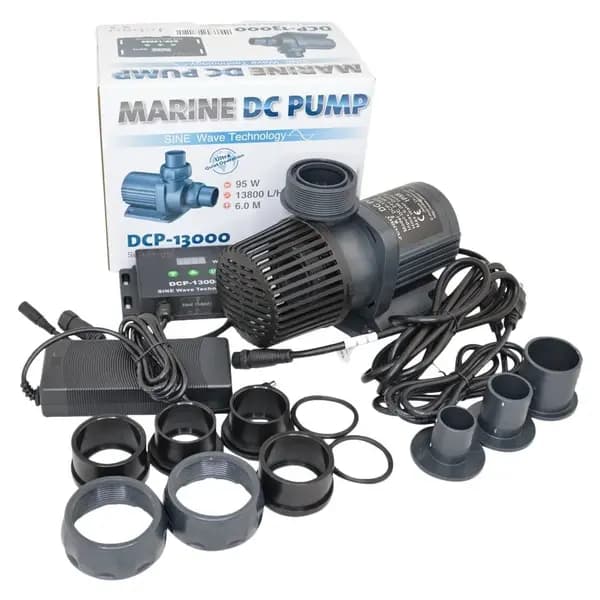
- Unpack and Inspect: Carefully remove the pump from its packaging and inspect for any damage. Ensure all components, including the controller and power supply, are present.
- Choose Installation Method: Decide whether to use the pump for submersible (wet) or external (dry) applications based on your aquarium or sump setup.
- Position the Pump: For wet use, place the pump securely at the bottom of your sump or filter pit, ensuring the suction inlet is clear. For dry use, connect appropriate plumbing to the inlet and outlet ports, positioning the pump on a stable, level surface.
- Connect Power: Connect the pump to the provided 24V power supply, and then plug the power supply into a suitable electrical outlet.
- Configure Control: Utilize the included LCD display controller to set desired flow rates, or download the special app on your smartphone and connect via Bluetooth for wireless control and advanced programming.
- Start Operation: Turn on the pump and monitor its initial operation. Check for proper water flow and ensure there are no leaks in external installations. Adjust settings as needed for optimal performance.
Care & Maintenance Tips for Your Jecod Water Pump
- Regular Cleaning: Periodically disconnect the pump and clean the impeller and pump housing to prevent build-up of debris, algae, or detritus that can reduce efficiency and cause blockages.
- Inspect Ceramic Shaft: During cleaning, gently inspect the ceramic shaft for any signs of wear or damage. While durable, proper care ensures its longevity.
- Check Connections: For external installations, regularly inspect all plumbing connections for any signs of leaks or loosening. For all setups, ensure electrical connections are secure and dry.
- Prevent Dry Running: Although the pump has dry running protection, prolonged dry operation should be avoided. Ensure the pump is always submerged when operating in a wet application.
- Power Off During Maintenance: Always disconnect the pump from the power source before performing any cleaning or maintenance to prevent accidental operation.
- Monitor Performance: Pay attention to any changes in pump noise or flow rate, which could indicate a need for cleaning or inspection.